
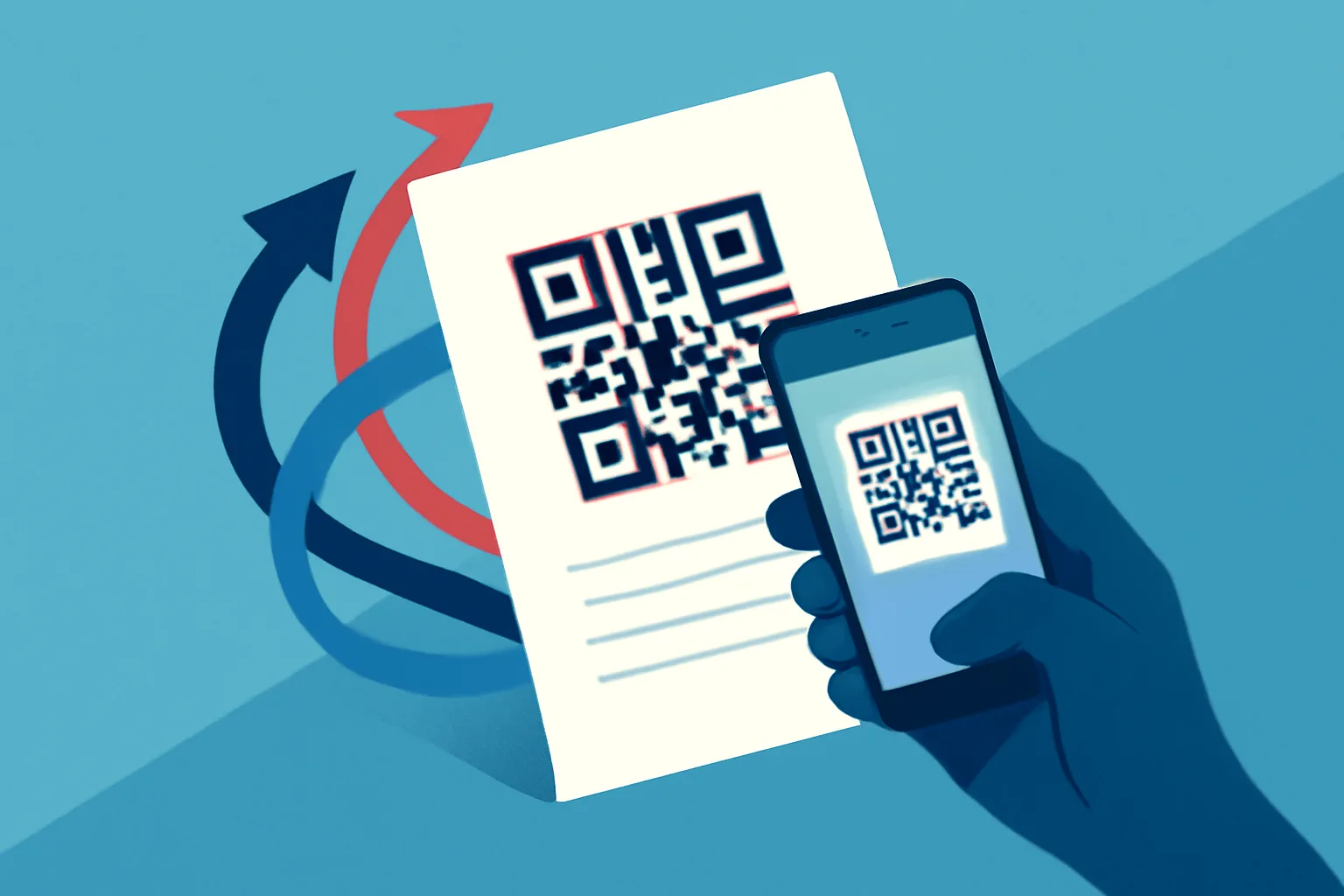
На этой странице
Что такое динамические QR-коды и как они работают
Динамические QR-коды созданы для случаев, когда целевая ссылка может измениться уже после печати кода. В этом и есть главное отличие от статического QR-кода, который напрямую зашивает в изображение фиксированный адрес. Как только статический код напечатан на постере, этикетке, меню или брошюре, ссылка по сути уже не меняется. Для команд, которые рассматривают динамические QR-коды для печатных материалов, именно эта гибкость часто и становится главным преимуществом. Если коротко, то это и есть ответ на вопрос «динамический QR-код что это».
Динамический QR-код работает через промежуточный редирект. Напечатанный код сначала ведёт на короткий управляемый URL, а уже он перенаправляет пользователя на актуальную конечную страницу. Позже вы можете обновить целевой адрес, не меняя сам печатный макет. Код на странице остаётся тем же; меняется то, что стоит за ним.
Это важнее, чем кажется. Печать обновляется медленно и стоит дорого. Брошюра может месяцами лежать в холле отеля. Упаковка может уйти в производство ещё до того, как кампания будет окончательно утверждена. В меню ресторана может понадобиться новая страница с аллергиями, сезонное предложение или другая ссылка на заказ. При динамической схеме напечатанный материал остаётся полезным, пока целевая ссылка развивается.
Если смотреть на это с практической точки зрения, полезно сравнить такой подход с дорожными указателями. Сам знак не меняется каждый раз, когда дорога открывается или закрывается; меняется маршрут за ним. Здесь тот же принцип. QR-код — это знак, а слой перенаправления — управление маршрутом.
Для команд, которые уже используют собственный короткий домен для бренда, динамические QR-коды естественно вписываются в тот же подход. Напечатанный код может вести не на безликий общий адрес, а на брендированный и отслеживаемый домен, что часто делает ссылку более доверительной и заметной с первого взгляда.
Почему печатным материалам нужны редактируемые QR-коды
У печатных материалов есть упрямая привычка жить дольше, чем планировалось. Листовку раздают на мероприятии, а через неделю предложение уже меняется. На коробке товара печатают ссылку на поддержку, а затем структура help center перестраивается. Постер висит в витрине магазина ещё долго после окончания кампании, но люди всё равно продолжают сканировать его.
Редактируемые QR-коды решают этот разрыв между неизменностью печати и потребностью маркетинга в гибкости. Они полезны везде, где код размещён на носителе, который дорого или неудобно перепечатывать. Это могут быть брошюры, постеры, каталоги, упаковка, столики в ресторанах, навигация внутри магазина, бейджи конференций, оформление стендов на выставках и даже визитки. Именно поэтому так часто выбирают редактируемый qr код для печати.
Хороший пример — визитные карточки. Статический QR-код может вести на контактную страницу, которая сегодня выглядит нормально, но что, если человек сменит должность, заменит страницу записи или обновит портфолио? Динамический код позволяет карточке продолжать работать, не устаревая в момент изменения данных.
Упаковка — ещё один типичный сценарий. Бренду может понадобиться один QR-код на коробке, но разные конечные страницы в зависимости от сезона, региона или партии товара. Внешний вид остаётся одинаковым, а содержимое внутри может переключаться с лендинга запуска на инструкцию по настройке, форму регистрации или новую акцию.
Для меню и листовок польза очевидна. Рестораны меняют спецпредложения. Ритейлеры обновляют акции. Организаторы мероприятий корректируют расписание. Напечатанный QR-код, который можно позже отредактировать, экономит время и избавляет клиентов от попадания на устаревшие страницы. А устаревшие страницы, пожалуй, даже хуже сломанных: по крайней мере, сломанная сразу заставляет что-то исправить.
Печатные команды тоже ценят операционную сторону. Когда шаблон утверждён, один и тот же макет можно использовать в разных точках или кампаниях. Меняется адрес назначения, а не дизайн. Это упрощает координацию, когда нескольким филиалам, магазинам или франшизам нужен один и тот же материал с небольшой локальной вариацией.
Как изменить назначение QR-кода после печати
Базовый процесс довольно прост, хотя конкретный интерфейс зависит от платформы. Сначала создайте динамический QR-код, который ведёт не на фиксированный адрес, а на управляемый URL перенаправления. Затем напечатайте этот код на материале как обычно. Позже, если ссылка должна измениться, откройте настройки QR-кода и обновите целевой URL или содержимое, на которое он ведёт. Именно так решается задача «как изменить ссылку в qr коде после печати».
Когда человек сканирует напечатанный код, промежуточный редирект обычно не виден. Он считывает код, устройство открывает короткую ссылку, а та перенаправляет на актуальную конечную страницу. Для пользователя всё ощущается почти незаметно. Главное отличие в том, что вы контролируете то, что происходит дальше.
Это управление можно использовать по-разному. Можно сначала направлять всех на одну посадочную страницу, а после окончания кампании заменить её на другую. Или использовать один код на упаковке, который сначала ведёт на руководство по настройке продукта, а позже — на страницу регистрации гарантии. Напечатанный код не меняется; меняется цель.
Некоторые команды используют эту гибкость, чтобы поддерживать синхронизацию между печатью и вебом. Если кампания поставлена на паузу, QR-код можно перенаправить на временную страницу вместо неактуального предложения. Если страница переехала, редирект сохранит печатный материал. Если акция меняется от одного региона к другому, ссылку можно скорректировать без перепечатки тиража.
Здесь есть важная оговорка: редактируемый не значит произвольный. Если код уже широко распространён, каждое обновление должно быть осознанным. Новое назначение всё ещё должно иметь смысл для той аудитории, которая будет сканировать печатный материал. Код на брошюре в зале ожидания не должен внезапно вести на страницу с совершенно другой задачей, если это не было предусмотрено с самого начала.
Для команд, которым нужен дополнительный уровень контроля, полезно сочетать динамические QR-коды с ссылками, защищёнными паролем, если целевая страница приватная, черновая или предназначена для закрытой аудитории. Это не обязательно для каждой печатной кампании, но бывает полезно, когда код размещён в физическом пространстве, которое не является полностью публичным.
Преимущества динамических QR-кодов для маркетинга и операционной работы
Первое преимущество простое: меньше перепечаток. Расходы на печать быстро растут, если учитывать дизайн, производство, доставку и распространение. Если ссылка меняется, статический QR-код может потребовать полной замены материала. Динамический позволяет обновить целевой адрес и продолжать использовать уже напечатанные носители.
Второе преимущество — гибкость кампаний. Маркетинг состоит из постоянно движущихся частей, и печатные материалы часто создаются до того, как все детали будут окончательно согласованы. С редактируемыми QR-кодами можно запускаться уверенно и дорабатывать позже. Особенно это полезно, когда итоговая посадочная страница, предложение или форма должны меняться после обратной связи или первых результатов.
Ещё одно преимущество — единообразие между локациями. Сеть магазинов может печатать один и тот же флаер в разных регионах, а затем направлять сканы на локальные страницы, языковые версии или информацию для конкретного филиала. Физический дизайн остаётся стандартным, а цифровой маршрут адаптируется под контекст.
Есть и менее заметный операционный плюс: меньше нагрузки на службу поддержки. Если клиент сканирует печатный материал и попадает не туда, это вызывает путаницу, переписку по почте и лишние жалобы. При динамической маршрутизации поддержка может быстро исправить назначение, прежде чем мелкая ошибка превратится в постоянное раздражение.
Динамические QR-коды также поддерживают маршрутизацию по времени. Код, напечатанный в сезонном каталоге, может сначала вести на страницу запуска, потом — на страницу распродажи, а затем — на бренд-историю или вечнозелёный продуктовый хаб. Один и тот же физический носитель продолжает приносить пользу со временем.
Для маркетинговых команд, которым важна сегментация аудитории, печатный код может стать частью более крупной системы. Если сканы из разных кампаний должны вести к разным сценариям дальнейшего взаимодействия, слой перенаправления помогает аккуратно выстроить эти маршруты. Подробнее о аудиториях, формируемых по сканам, см. ретаргетинговые пиксели на коротких ссылках. Это тема в первую очередь про веб, но та же логика часто переносится и на QR-кампании в печати.
Типичные ошибки при использовании динамических QR-кодов на печатных материалах
Одна из частых ошибок — думать, что слой перенаправления скроет любую проблему. Это не так. Если целевая страница сломана, тормозит или непонятна, код всё равно не сработает как надо. Динамическая маршрутизация решает управление ссылками, а не плохой контент.
Другая ошибка — некачественная печать. QR-код, который отлично выглядит на экране, может плохо сканироваться, если его напечатали слишком маленьким, растянули или разместили на пёстром фоне. Низкий контраст — частый виновник. Чёрный на белом остаётся популярным не просто так: это надёжно работает.
Важно и размещение. Код, слишком близко поставленный к сгибу, углу или краю упаковки, может быть неудобно сканировать. Глянцевая поверхность может отражать свет. Изогнутая упаковка способна исказить код, если дизайн не учитывает форму. Реальные условия печати куда менее снисходительны, чем макет.
Некоторые команды слишком усложняют посадочную страницу. После сканирования пользователь должен сразу понимать, где он оказался и что делать дальше. Если страница перегружена, усыпана мелкими ссылками или долго загружается, QR-код проблему не решил. Он лишь перенёс её в другое место.
Ещё одна ловушка — не протестировать код перед массовой печатью. Звучит очевидно, но именно этот шаг часто пропускают из-за дедлайна. Тестируйте на нескольких устройствах, с разного расстояния и при том освещении, с которым действительно столкнётся аудитория. Код, который работает в дизайн-студии, может вести себя иначе в магазине, на складе или в зале.
Сломанные редирект-ссылки особенно неприятны, потому что их может быть не видно до первого сканирования. Если сервис коротких ссылок изменится, адрес назначения будет набран с ошибкой или код скопируют не из той среды, печатный материал окажется под угрозой. Поэтому стоит выбирать платформу с высокой надёжностью ссылок и понятным журналом изменений.
Лучшие практики дизайна печатных материалов с QR-кодами
Начинайте с расстояния, с которого пользователь будет смотреть на код. Например, баннер на выставке читают издалека, а настольную табличку — с близкого расстояния. Код должен быть достаточно крупным, чтобы его можно было комфортно сканировать в реальной ситуации, а не только в макете.
Оставляйте вокруг QR-кода свободное пространство. Этот спокойный отступ не декоративен; он помогает сканеру распознать шаблон. Если вплотную окружить код текстом, логотипами или декоративными элементами, сканирование станет менее надёжным. Чистая рамка безопаснее, чем слишком хитрое оформление.
Добавляйте понятный призыв к действию. Люди охотнее сканируют, когда понимают зачем. Фразы вроде «Сканируйте, чтобы посмотреть меню», «Сканируйте для инструкции по настройке» или «Сканируйте, чтобы увидеть сегодняшнее предложение» дают контекст и помогают решить, стоит ли тратить внимание на код. Без такого пояснения QR-код может выглядеть как визуальный шум.
Выбирайте место осознанно. На листовке код часто лучше всего работает рядом с главным предложением или рядом с действием, которое вы хотите получить от человека. На упаковке он может быть уместен рядом с информацией о поддержке или описанием продукта. На визитке он не должен конкурировать с основными контактами.
Тестируйте на реальных устройствах, а не только в эмуляторе. Разные камеры, старые телефоны и различное освещение могут заметно влиять на сканирование. По возможности проверяйте код с типичного угла и расстояния. Код для постера в коридоре стоит тестировать именно так, а не только со стола.
Делайте целевую страницу простой и адаптированной под мобильные устройства. Большинство людей, сканирующих QR-код с печатного материала, делают это со смартфона, часто стоя, на ходу или с занятыми руками. Им не нужен лабиринт из ссылок. Им нужно обещанное действие — быстро.
Для команд, которые хотят сохранить целостность опыта от первого скана до финального клика, полезно сопоставить поведение страницы с рекомендациями о том, безопасны ли короткие ссылки. Доверие особенно важно, когда пользователь уже перешёл из печати в браузер.
Когда статический QR-код всё же лучше
Динамические QR-коды полезны, но не всегда являются лучшим выбором. Если адрес назначения никогда не изменится, а печатный материал рассчитан на долгий срок жизни, статического QR-кода может быть вполне достаточно. Иногда простота — это именно то, что нужно.
Это может быть верно для постоянно публикуемых контактных данных, разовых раздаточных материалов для мероприятий или архивных документов, где цель — сохранить фиксированную ссылку. Если ссылка должна вести на один неизменный ресурс и редактирование не требуется, статический код избавляет от лишней сложности.
Статические коды также подходят для сценариев с низкими требованиями к сопровождению, где не нужны ни аналитика, ни смена кампаний. Для небольшой визитки, которая просто ведёт на одну главную страницу, или для документа-справки дополнительная гибкость динамической системы может не дать заметной пользы.
Решение здесь действительно сводится к вопросу изменений. Если адрес может сдвигаться, развиваться или меняться в зависимости от аудитории, динамический вариант обычно безопаснее. Если же он останется фиксированным и риск будущих правок минимален, статический код вполне подходит.
Как выбрать QR-решение для печатных кампаний
При выборе платформы для работы с печатью в первую очередь смотрите на возможность редактирования. Можно ли изменить целевой адрес после печати, не создавая новый код? В этом и состоит смысл, поэтому ответ должен быть очевидным и удобным в управлении.
Далее оцените управление ссылками. Хорошая система должна позволять легко организовывать множество кодов, группировать их по кампаниям и обновлять цели без путаницы. Если команде приходится работать с брошюрами, вкладышами, этикетками и навигацией, интерфейс должен снижать риск ошибок, а не провоцировать их.
Надёжность сканирования важна не меньше удобства. Система должна генерировать коды, устойчивые к типичным условиям печати, и позволять легко их тестировать. Ей также стоит корректно обрабатывать редиректы, потому что сила печатного материала определяется качеством ссылки, которая за ним стоит.
Аналитика — ещё один полезный слой. Для многих кампаний важно знать, какие печатные материалы сканируют, когда это происходит и как меняется вовлечённость со временем. Эти данные помогают решать, где размещать коды, какие предложения повторять, а какие материалы убирать из оборота.
Собственные домены могут повысить доверие и узнаваемость бренда. Брендированная короткая ссылка на печатных материалах часто выглядит аккуратнее и вызывает больше доверия, особенно когда речь идёт о кампании, где нужен редактируемый qr код для печати и стабильный маршрут от скана до нужной страницы.
Попробуйте на деле
Вставьте ссылку — и через секунду получите короткий адрес, QR-код и статистику переходов. Бесплатно и без регистрации.
Ещё в блоге
Как перенести QR-код без перепечатки
Пошагово разберитесь, можно ли изменить QR-код, найдите владельца ссылки и обновите назначение без повторной печати.
Переход от QR-наклеек к динамическим QR-кодам
Пошаговый план аудита, приоритизации и замены статичных QR-наклеек на динамические без потери дизайна и аналитики.
Стоимость отслеживания QR-кодов в масштабе
Разбираем, от чего зависит цена отслеживания QR-кодов в больших объёмах: сканы, коды, аналитика, API, хранение и команды.