
QR Code PNG vs SVG
Learn QR code PNG vs SVG differences in scanning, quality, editing, and print so you can choose the right format for your use case.
On this page
What PNG and SVG Actually Are for QR Codes
At a glance, a QR code is just a square pattern that a phone camera can scan, and under the hood, though, the file format matters more than most people expect. If you are downloading a QR code for a poster, a product label, a website, or a slide deck, you will usually run into two common options: PNG and SVG.
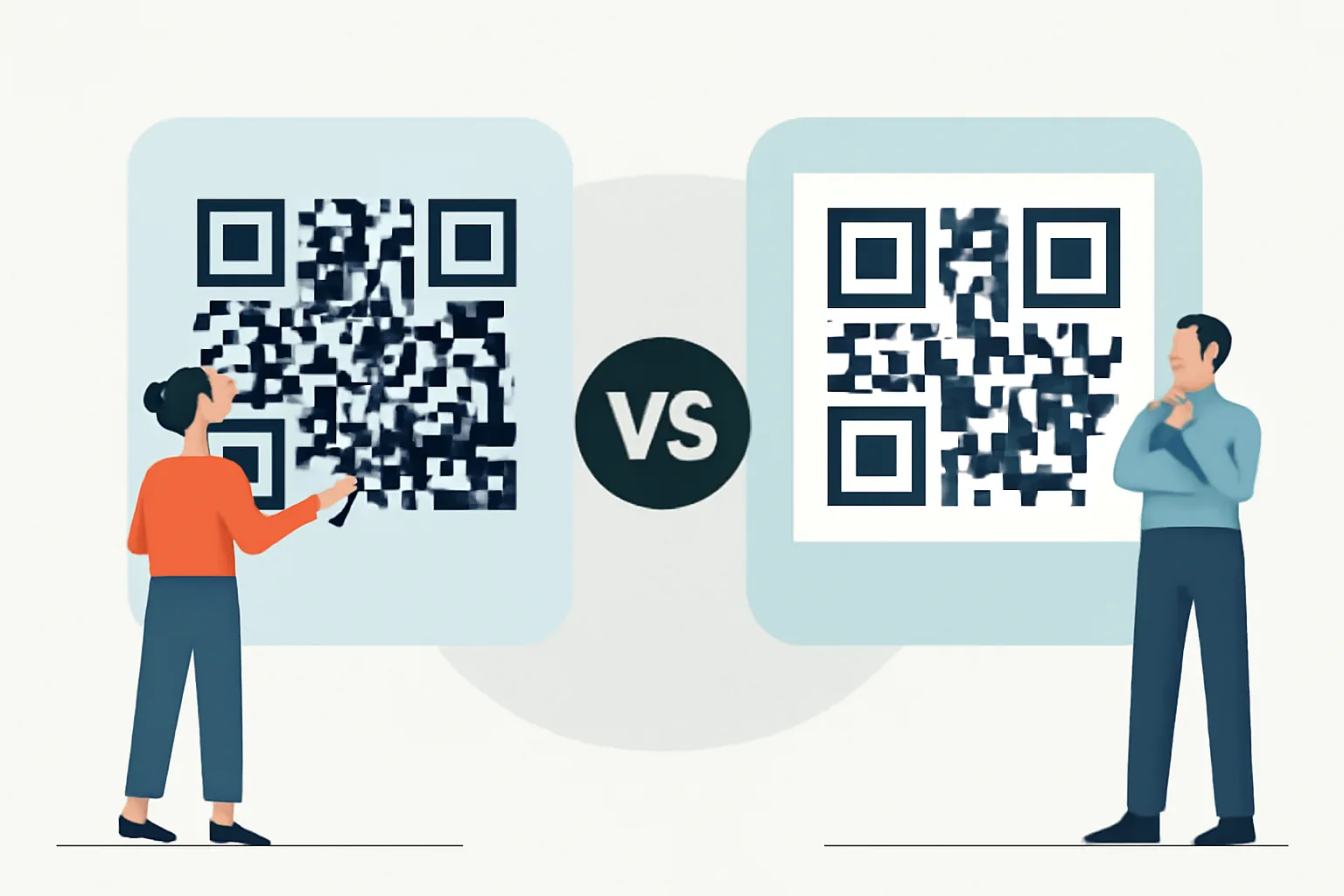
PNG is a raster format. That means the image is built from pixels, like a mosaic. It can look perfectly sharp at the size it was exported, but once you stretch it too far, the edges start to soften or blur. SVG is different. It is a vector format, which means it stores shapes mathematically rather than as fixed pixels. In practical terms, an SVG QR code can be resized much more freely without losing crisp edges, making it a smart choice for any vector QR code download.
For most ordinary graphics, that difference is just technical trivia. For QR codes, it is central. QR scanning depends on clean contrast, precise edges, and enough quiet space around the code. If the file format makes the modules fuzzy or introduces unwanted compression, scanning gets less reliable. That is why the choice between QR code PNG vs SVG is worth making deliberately, not casually.
There is also a workflow angle. A PNG may be easier to drop into a document or a messaging app, and an SVG may be easier for a designer to place into a layout, recolor, or scale for different media. If you are working with branded links or campaign materials, that flexibility can matter as much as scan performance. If you are also thinking about tracking or campaign setup, it can help to read about short-link analytics in marketing as part of the bigger picture.
Comparison Criteria: Scanning, Quality, File Size, and Editing
Before comparing the two formats side by side, it helps to define what actually matters. A QR code is not decorative art. It has one job: scan correctly and quickly. Everything else supports that goal.
Here are the criteria that matter most:
- Scanning reliability: Does the code stay readable on phones and scanners?
- Quality at different sizes: Does it remain sharp when reduced or enlarged?
- File size: Is it easy to store, send, or embed?
- Editing flexibility: Can a designer change colors, add a logo, or fit the code into a layout?
- Compatibility: Will the file open cleanly in common software and devices?
- Production workflow: Is it better suited to web use, print, or both?
Those criteria lead to a useful distinction. PNG often wins when you need something simple and universally accepted. SVG often wins when you need scale, precision, and design flexibility. Neither format is automatically “better.” The real question is where the QR code will live and how much control you need over it.
QR Code PNG vs SVG Side by Side
| Criterion | PNG | SVG |
|---|---|---|
| Scanning | Reliable at the exported size; can suffer if enlarged too much | Reliable at any size because it stays vector-based |
| Image quality | Fixed resolution; may blur if stretched | Remains crisp when scaled up or down |
| File size | Often small and simple | Often small too, though it can vary with complexity |
| Editing | Limited; edits are basically image edits | Flexible; easier for design tools and layout workflows |
| Compatibility | Very broad across apps and platforms | Excellent in modern design tools and browsers |
| Best use case | Quick sharing, fixed digital placements, basic compatibility | Branding, print, scalable assets, design-heavy workflows |
That table tells the short version. PNG is the safe, familiar option. SVG is the precision option. If you only need to paste a QR code into a slide and move on, PNG is usually enough, and if you are building a brand system or printing across different formats, SVG tends to make life easier.
One subtle point: file size is not always the deciding factor people assume it is. A QR code is mostly black-and-white geometry, so both formats can stay lightweight. The larger issue is what happens after export. PNG becomes a fixed picture. SVG stays adjustable. That can save time later, especially if the same QR code appears on a website, a flyer, and a product insert.
When to Use PNG for QR Codes
PNG is the practical choice when you want a straightforward image file with no fuss, and it opens almost everywhere, embeds cleanly in documents, and behaves predictably in most content systems. If your priority is “download, paste, and publish,” PNG is often the path of least resistance.
Use PNG when the QR code is destined for a fixed-size digital space. For example, it may sit inside an email signature, a PDF handout, a customer support article, or a presentation slide. In those cases, the size is controlled and known in advance, and a PNG exported at the right resolution will scan well and rarely create compatibility headaches.
PNG is also useful when you are sharing a QR code with non-designers. A marketer may need to drop it into a CMS. A sales team member may need it in a PowerPoint. A customer might save it from a chat app and never open a design tool in their life. PNG removes friction.
There is another reason PNG stays popular: some platforms and apps still handle raster images more predictably than SVGs, and if you are not sure what system will receive the file, PNG is the conservative choice. It is not glamorous, but it is dependable.
For private sharing workflows, image format sometimes sits beside access control. If you are distributing a QR code that should only go to certain people, a format decision may be part of a broader sharing strategy. In those cases, the mechanics of the link itself matter too; a related read on password-protected links can be useful.
PNG is not ideal when you expect repeated resizing, professional print production, or frequent visual tweaks. If you start with PNG and later need a larger banner version, you may find yourself re-exporting or recreating the file. That is not catastrophic, just mildly annoying — and in design work, annoyance adds up.
When to Use SVG for QR Codes
SVG is the stronger choice whenever scale and flexibility matter, and because it is vector-based, it keeps the code crisp whether it appears on a tiny sticker or a large wall graphic. That makes it especially attractive for branded QR code downloads, where the same file might be reused across several formats.
Design teams often prefer SVG because it fits naturally into layout tools. It can be dropped into Illustrator, Figma, InDesign, and browser-based design systems without the same resolution concerns that come with raster images. If a color needs changing, the code needs to sit inside a template, or a logo needs to be positioned carefully around the code, SVG gives more breathing room.
SVG is also a strong choice when you are building assets that may live across both print and digital channels. A single vector file can serve a website, a packaging mockup, and a trade show banner without degrading. That consistency matters when you want the code to look intentional rather than merely functional.
Another advantage is future-proofing. A QR code often gets reused longer than expected, and someone exports it for a campaign today, then wants it again six months later in a different size. An SVG preserves quality through those changes. You are less likely to end up with an “almost sharp enough” copy.
Still, SVG is not always the easiest option for every recipient, and if the person receiving the file is using a tool that handles SVG poorly, the convenience drops. That is not a dealbreaker, but it is a reminder that format choice depends on the handoff point as much as the final destination.
SVG also pairs well with branded short links and custom domain setups, where the visual identity matters. If that is part of your workflow, it may be worth exploring custom short link domains for a brand so the QR code and the destination feel like one cohesive system.
Best Format for Print QR Codes
For print, SVG is usually the better choice. Print workflows reward clean geometry and endless scale, and that is exactly where vector files shine. A QR code that looks fine on a laptop screen can become annoyingly soft when enlarged for packaging or signage if it began life as a PNG with limited resolution.
Print also introduces another layer of complexity: the code may be used in many sizes. A business card version, a poster version, and a product box version may all need the same underlying QR code. SVG makes that easier because the same file can be placed into each layout without worrying about pixel dimensions.
That said, PNG can still work for print if it is exported at an appropriate resolution and used at a predictable size, and for a small flyer or a simple handout, a high-quality PNG may be perfectly serviceable. The key is to avoid scaling it beyond what it was designed for. Once raster edges start to soften, scanners notice before humans do.
There is also a practical production question, and some printers and prepress workflows are comfortable with SVG; others prefer PDF or another print-friendly vector file. If your printer asks for a specific format, follow that instruction. The best file is the one that gets output cleanly.
One print-specific aside: QR codes need quiet space around them, and that space is easier to preserve when the source artwork scales cleanly, and sVG helps designers keep proportions intact instead of nudging pixel dimensions by hand and hoping the code still reads. Hope is not a production strategy.
Honest Verdict: PNG or SVG for Your QR Code?
If you want the shortest honest answer, it is this: use SVG when you can, and PNG when you need simple compatibility.
SVG is the stronger default for most serious QR code work. It preserves quality at any size, works beautifully in design workflows, and gives you more room to adapt the same code across media. If the QR code may appear in print, on large signage, or in a branded layout that will be revised later, SVG is the safer long-term choice.
PNG still has a clear place. It is fast, familiar, and easy to share. If the QR code is going into a fixed digital placement, or you need a file that almost any system will accept without discussion, PNG is often the easiest route. It is the right answer when convenience matters more than flexibility.
So the decision is not really “which format is better?” It is “how will this QR code be used?” If the answer involves scaling, branding, or print, lean SVG, and if the answer involves quick distribution and low-friction sharing, PNG is fine. Either way, the code itself must remain clean, contrasty, and readable. The format is there to support that, not replace it.
And if you are choosing between formats as part of a broader QR strategy, it can help to think about the destination, security, and audience at the same time. For public links, you may want to review whether short links are safe before you print or publish anything at scale.
Quick Decision Guide
Choose PNG if:
- You need a simple image for email, chat, slides, or a CMS.
- The QR code will stay at a fixed size.
- You want the widest possible compatibility with minimal effort.
- You are sharing a quick draft or temporary asset.
Choose SVG if:
- You need the QR code to scale cleanly for print or large displays.
- You are working in a design tool or brand system.
- You may reuse the same code in multiple sizes and formats.
- You want the best long-term flexibility for updates and layout changes.
If you still feel torn, start with SVG for the master file and export PNG versions only when a specific platform requires them, and that approach gives you the best of both worlds: a clean original and a convenient derivative. In practice, that is usually the least painful way to work.
Put this into practice
Paste a link and get a short URL, a QR code and click stats in seconds — free, no sign-up.
More from the blog
How to Create a QR Code for a Geo Location
Learn how to create a QR code for a geo location by choosing the right pin, coordinates, and scan behavior for maps or directions.
How to Create a QR Code for a PDF File
Learn how to create a QR code for a PDF file with direct links, landing pages, mobile-ready PDFs, and update-friendly redirects.

How to Create a QR Code for an Email Address
Learn how to create a QR code for an email address with a mailto link, optional subject, and body for fast, scan-to-email replies.