
QR Code for Business Cards: A Practical Guide
Learn how a QR code for business cards speeds up contact sharing, from vCard setup to digital profiles and follow-up benefits.
On this page
What a QR Code for Business Cards Is
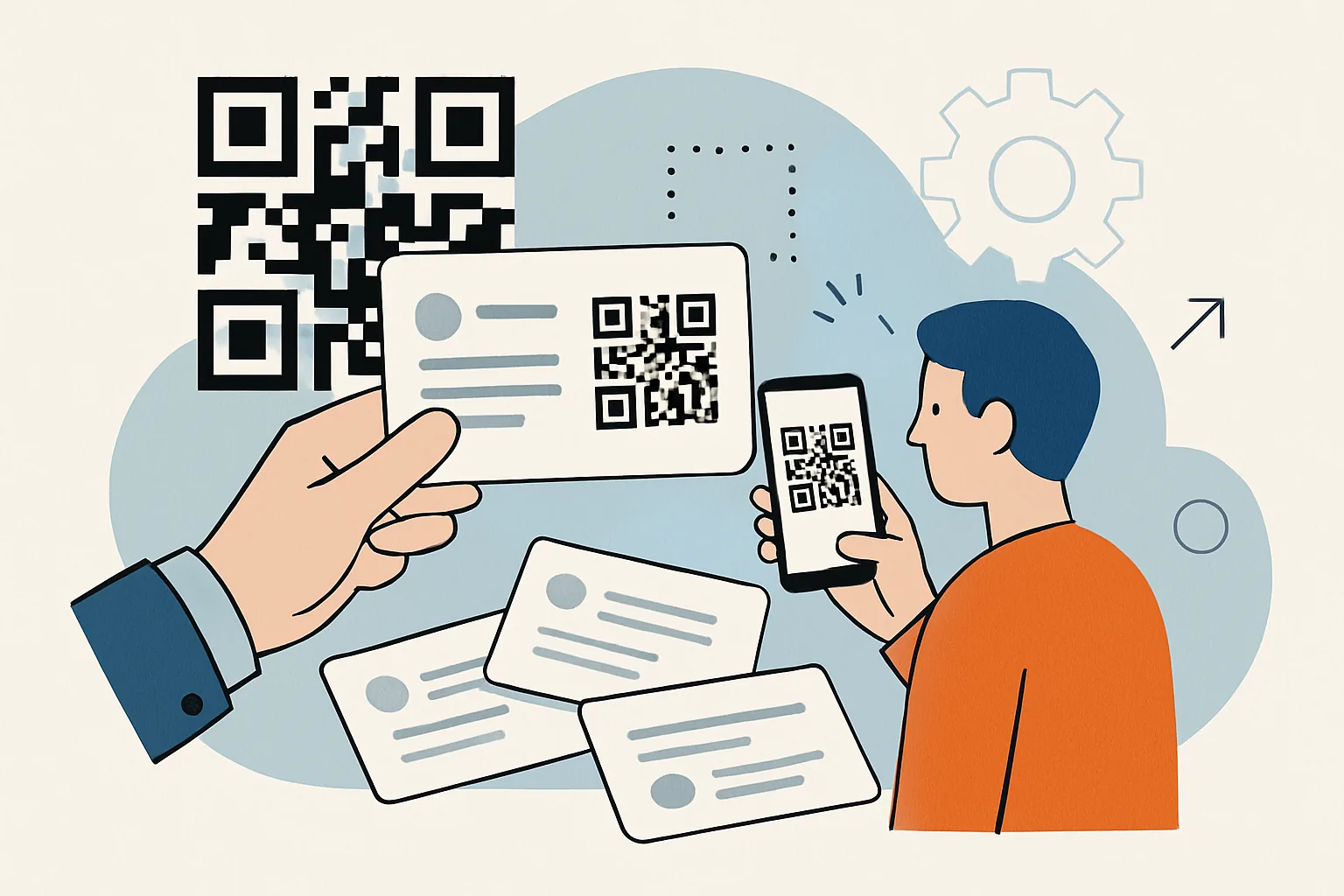
A QR code for business cards is a compact, scannable shortcut to your contact details. Instead of handing someone a card and hoping they type your name, email, and phone number correctly, you let them scan a square code with a phone camera and save your information in a few taps. It is a small change, but in real networking situations it feels immediate and tidy.
In practice, the QR code sits on the business card like any other design element. A person opens their camera, points it at the code, and the phone recognizes the content inside. That content might be a complete contact record, a link to a digital profile, or a landing page with several ways to connect. Either way, the point is the same: faster contact sharing with less friction.
This is especially useful when you meet people in noisy rooms, at conferences, or in quick introductions where no one wants to fumble with saving details later. The card still works as a physical reminder, but the QR code makes it actionable. If you are also thinking about other ways to distribute information securely, it can be worth looking at password-protected links for private sharing situations where a simple public card would not be appropriate.
vCard QR Code: How It Stores Contact Details
A vCard QR code stores contact information in a format that phones and contact apps understand. The QR code contains structured data, not just a random URL. When scanned, it can offer to create a new contact or show a preview with the details already filled in.
A vCard can include the core information people usually need:
- Name and surname
- Job title
- Company name
- Phone number
- Email address
- Website
- Physical address
On many phones, the scan opens a contact import screen, which is useful because the recipient can save the details directly into their address book. That is the real advantage of the format: it reduces the number of steps between “we met” and “I can reach you later.”
A vCard QR code is often the best choice when your main goal is straightforward contact exchange. It is simple, fast, and does not require the other person to browse a page or choose between multiple buttons. If the card is meant to work almost like a digital handshake, vCard is a practical option.
There is a limitation, though. The more detail you pack into a vCard, the denser the QR code becomes. That can make it harder to scan, especially if the code is printed small or the card stock is glossy. For that reason, a vCard works best when you keep the information focused on what someone truly needs to follow up with you.
Digital Business Card QR Code: How It Differs from a Traditional Card
A digital business card QR code usually points to a web-based profile or landing page rather than storing contact data directly inside the code. Think of it as a live card online. The scan takes a person to a page where they can view your details, tap to call or email you, save your contact, or even open social profiles and portfolio links.
That makes it different from a traditional printed card in two important ways. First, the printed card is static; once it is printed, the information does not change. A digital business card can be updated after the fact, which is helpful if your title changes, your company rebrands, or you want to refresh the way you present yourself. Second, a digital page can carry more context than a paper card ever could. A short bio, a headshot, product links, a booking button, or a “let’s connect” message can all live on the same page.
This is where a digital business card QR code becomes more than a convenience tool. It becomes a small entry point into your broader professional presence. For freelancers, consultants, sales teams, and founders, that flexibility can matter. A printed card may say who you are, but a digital card can show what you do.
Of course, that extra flexibility also introduces a dependency on the web page behind it. If the link breaks, the QR code loses its value. For that reason, many people pair digital cards with thoughtful link management. If you need a cleaner branded destination, a custom short link domain can make the shared link look more trustworthy and easier to remember.
Benefits of Using a QR Code on Business Cards
The appeal of a QR code on business cards is not novelty for its own sake. It solves small annoyances that show up all the time in real conversations.
- It makes saving contact details easier and faster.
- It cuts down on typing errors in names, emails, and phone numbers.
- It gives the other person a clear next step after the conversation ends.
- It can make your card look more current and deliberate.
- It can support richer follow-up content than a plain card alone.
That last point matters. A paper business card is useful, but it is limited. A QR code adds a bridge between the physical and digital sides of networking. If someone scans your code at a trade show, they do not need to remember whether your email ended in .com or .co, or whether your first name has an unusual spelling. The scan does the work.
There is also a subtle experience benefit. Handing someone a card with a QR code suggests you are prepared for modern contact sharing without making the interaction feel cold or overly technical. It can be a nice balance: tangible paper in the hand, instant access on the phone. That combination often feels more polished than either format alone.
How to Create a QR Code for a Business Card
Making a QR code for a business card is not difficult, but it is worth doing carefully. The process starts with a decision: do you want the code to contain vCard data directly, or do you want it to lead to a digital business card page?
- Decide what you want the scan to do.
- Collect the contact details you actually want to share.
- Create either a vCard QR code or a link-based QR code.
- Test the code on different phones and scanning apps.
- Print a sample and check it before producing the full run.
If you choose the vCard route, enter the contact fields carefully. Small errors in a phone number or email address defeat the point. If you choose a digital card, make sure the landing page loads quickly and reads well on a phone screen. A QR code is only as good as the destination behind it.
Testing matters more than people think. Scan it with both iPhone and Android devices if possible. Try it under decent light and again in less ideal conditions. Check whether the scanner opens the right app, whether the contact saves correctly, and whether any special characters display properly.
Printing is its own stage. A QR code that looks crisp on a screen can fail when scaled badly or placed over a busy background. Before final printing, check the exact size on the actual card layout. If your business cards are part of a broader outreach system, you may also want to pair them with trackable links or a branded destination. In some cases, retargeting pixels on short links can help you follow up with people who visit the card’s digital destination, though that approach fits marketing use cases more than simple contact exchange.
Best Practices for Designing and Printing
A QR code can be technically correct and still fail in the real world if it is designed poorly. Good printing and layout are not cosmetic details; they are part of scan reliability.
Start with size. The code should be large enough to scan comfortably without making the card feel cluttered. If it is too small, some phones will struggle, especially if the card is slightly worn, curved, or held at an angle. A little breathing room around the code helps too. Don’t crowd it with text, logos, or decorative shapes.
Contrast is equally important. Dark code on a light background is the safest choice. High contrast helps the scanner recognize the pattern quickly. Fancy gradients and heavily textured backgrounds may look appealing in a mockup, but they can make the code unreliable in actual use.
Branding should support the code, not fight it. You can place your logo nearby, use your brand colors elsewhere on the card, and include a short call to action such as “Scan to save my contact” or “Scan for my details.” That small line helps people understand what the code does, which is useful because not everyone scans QR codes reflexively.
Paper choice and finish also matter. Matte cards are usually safer than very glossy ones because glare can interfere with scanning. And before you approve the final batch, hold a printed sample in ordinary light and scan it from a natural distance. That quick check catches many avoidable headaches.
Common Mistakes to Avoid
Most QR code problems on business cards are preventable. They usually come from overthinking the design or under-testing the final result.
- Putting too much information into a vCard and making the code dense.
- Using a tiny QR code that is hard to scan.
- Printing on glossy or reflective stock without testing.
- Sending people to a broken or changed link.
- Forgetting to test the code before ordering a full print run.
- Hiding the code in a corner where it feels accidental instead of intentional.
Another common issue is assuming the first draft will work forever. If your digital business card changes, the destination link needs maintenance. If you use a short link or branded redirect, check it now and then. A QR code on a business card is not a “set and forget” asset; it is a small piece of living infrastructure.
And while we are on the subject of links, it is worth being cautious with any URL-based destination. Not every link is trustworthy at first glance, so users should be able to recognize your domain and feel comfortable scanning. This is one reason branded destinations can help.
When to Use a vCard QR Code vs a Digital Business Card QR Code
The right choice depends on how you work and what you want the scan to accomplish.
| Option | Best for | Main advantage | Main limitation |
|---|---|---|---|
| vCard QR code | Simple contact exchange, quick networking, minimal setup | Fast import into phone contacts | Limited flexibility after printing |
| Digital business card QR code | Editable profiles, richer branding, links to multiple actions | Can be updated and expanded | Depends on a working web destination |
If your main goal is to let people save your phone number and email instantly, a vCard QR code is often enough. It is direct, familiar, and low-maintenance. If you want to present a more polished profile, show a portfolio, track visits, or change your details later without reprinting cards, a digital business card QR code is usually the better fit.
There is no universal winner. A sales rep at an event may prefer a digital card because it can route people to product pages and appointment booking. A lawyer, accountant, or local service provider may prefer a clean vCard because the exchange needs to be fast and dependable. For some professionals, the best answer is a hybrid approach: a simple printed card with a QR code that leads to a careful landing page, plus a direct save option on that page.
That said, the decision should be guided by real use, not just preference. Ask yourself a practical question: when someone scans this code, what do I want them to do next? If the answer is “save my contact immediately,” use vCard. If the answer is “view a polished profile and choose how to connect,” go digital.
Closing Thought
A QR code for business cards is not about replacing the card itself. It is about making the card do more. The best versions are simple, legible, and easy to trust. They save time in the moment, reduce mistakes later, and give your networking a smoother finish.
If you keep the format lean, test it properly, and choose the right destination for your goals, the QR code becomes a small feature with outsized practical value. And that is usually what good business tools look like: not flashy, just quietly effective.
Put this into practice
Paste a link and get a short URL, a QR code and click stats in seconds — free, no sign-up.
More from the blog
Custom QR Code for Business Cards
Learn how a custom QR code for business cards simplifies contact sharing, supports branding, and helps people save details fast.
Dynamic QR Code for Restaurant Menu
Learn how a dynamic QR code for restaurant menu use lets you update links after printing, save reprints, and improve guest access.

Is Link Tracking Legal for Employee Monitoring?
Learn when is link tracking legal for employee monitoring, how scope, notice, and data minimization affect compliance, and where the risks are.