
On this page
What Redirect Modes Mean in Short-Link Services
When people talk about short links, they often mean the tiny, neat URL that takes you somewhere else, and but there is usually more going on under the hood than a simple jump from one address to another. In many short-link services, a redirect mode is the method used to move a visitor from the short link to the final destination.
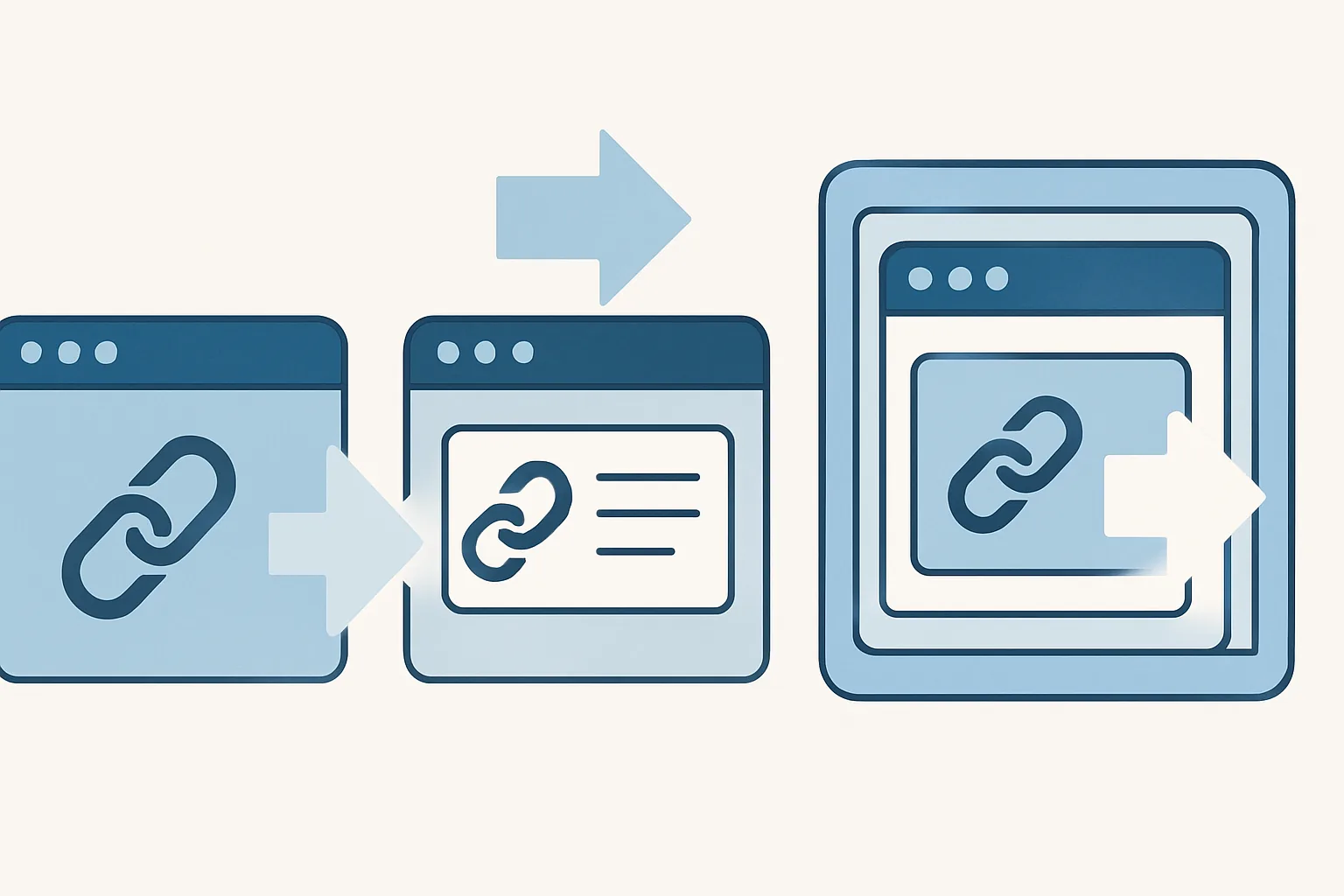
That sounds technical, but the idea is simple. One mode may send a visitor straight through. Another may show an intermediate page first. A third may keep the destination inside a wrapper of some kind. Each approach changes the visitor experience, and each has its own strengths and trade-offs.
Short-link tools offer redirect modes because not every link should behave the same way. A brand campaign may want a clean handoff. An affiliate link may benefit from extra transparency, and a private resource may need a warning or confirmation step. And sometimes a marketer wants tracking or retargeting support around the click itself, which is why features like retargeting pixels on short links can matter so much, especially when comparing different redirect modes for short links.
If you are using urlik.xyz, thinking in terms of redirect mode helps you choose the right behavior for the job rather than treating every link as interchangeable. That little decision can affect trust, readability, analytics, and even whether a destination renders properly on a visitor’s device.
Common Redirect Types: Direct Redirect, Preview Page, and Frame Mode
Most short-link services revolve around three familiar behaviors: direct redirect, preview page, and frame mode. They all lead to the same destination in the end, but the path there feels very different.
Direct Redirect
Direct redirect is the simplest option. A visitor clicks the short link and is sent immediately to the final URL. There is no pause, no extra page, and usually no visible interruption. It is the closest thing to a clean handoff.
This is often the best choice when speed matters, when the audience already trusts the link, or when the link is used in contexts where extra friction would feel clumsy. Think of a link in a text message from a colleague, a landing page CTA, or a printed QR code that needs to work quickly in a busy environment.
Preview Page
A preview page adds an intermediate step. Instead of going straight to the final site, the visitor sees a branded page that usually shows the destination, the source domain, and sometimes a button to continue, and in practice, it says: “Here is where you are about to go. Choose to proceed.”
This is useful when transparency matters. People are more cautious than they used to be, and for good reason. A preview page can reduce uncertainty by making the destination visible before the click lands. It is also a decent place to reinforce brand identity, especially if you use a custom domain. If that is part of your setup, you may also want to read about a custom short link domain, because the domain itself can do some of the trust-building before the visitor even reaches the preview.
Frame Mode
Frame mode is the most distinctive of the three. Instead of sending the visitor away in the usual way, the short-link service loads the destination inside a wrapper, often using a browser frame such as an iframe-like layout, and the outer page remains in place while the destination appears inside it.
That can be useful in special cases, but it is not universally compatible. Some websites do not allow themselves to be framed at all, and some browsers or security policies may interfere. So while the idea sounds clever, it needs careful testing. More on that below.
How a Preview Page Works
A preview page is the gentlest redirect mode because it creates a moment of clarity before the final move, and the user clicks the short link, then lands on a short page that explains what is about to happen. This page may include the destination URL, a domain name, a short message, and a button that sends the visitor onward.
That extra step can help in several ways. First, it builds trust. People can see the destination instead of being whisked away blindly. Second, it offers a chance to confirm the path, which is valuable when the link is shared in public spaces, group chats, or email threads where not everyone knows the sender. Third, it allows the service to present branding consistently, which makes the transition feel intentional rather than improvised.
Preview pages are especially handy when you are sharing links that could otherwise look suspicious. That includes links to forms, downloads, or third-party resources. Even a simple “You are being redirected” message can make the experience feel more honest and less abrupt. If you are comparing safety-focused link practices, the article Are Short Links Safe? is worth a look.
There is also a practical side. A preview page gives you a place to collect metadata about the visit, depending on how the service is configured, and in some workflows, that can help with click measurement, campaign testing, or audience building. Just remember that an extra page also adds one more step between interest and action. Sometimes that is fine. Sometimes it is enough to lose a hurried visitor.
How Frame Mode Works
Frame mode works differently from a normal redirect. Instead of moving the browser to a new page in the usual way, it presents the destination within a framed container on the service’s own page. The visitor may still feel as though they are looking at the destination site, but technically the outer page remains part of the experience.
Why would anyone use this? In some cases, frame mode can preserve a branded wrapper around content, allowing the short-link service to remain visible while the destination sits inside it. That may be attractive for certain internal tools, content previews, or controlled presentation flows. But it is not a general-purpose solution.
The biggest limitation is compatibility. Some sites actively block being loaded inside frames to prevent clickjacking or unauthorized embedding, and modern browser security rules may also restrict scripts, cookies, or authentication behavior inside a frame. That means a destination that looks fine in testing could behave poorly once a real visitor arrives.
There is another consideration: user expectations. Most people assume a link will take them to a new destination directly. When the page seems to stay in place, the experience can feel unusual, even disorienting, and if the content requires login, payment, or sensitive interaction, that disorientation is the last thing you want.
So frame mode should be treated as a specialized tool. It can work in controlled environments, but it should be tested across browsers and devices before anyone relies on it. And if the target site is not yours, compatibility checks are not optional; they are part of the job.
Choosing the Right Redirect Mode for Your Use Case
The best redirect mode depends on what the link is supposed to accomplish. There is no universal winner. The point is to match the behavior to the context, the audience, and the level of trust you need.
- Branding: If the link appears in marketing materials, a preview page can reinforce the brand and make the destination feel less anonymous.
- Speed and convenience: For day-to-day sharing, direct redirect is usually the least disruptive option.
- Trust and transparency: Preview pages are useful when you want the audience to know exactly where they are heading before they leave the short-link page.
- Affiliate links: If you use affiliate URLs, clarity matters. Some marketers prefer clean, branded handling rather than showing the raw tracking link. In that context, affiliate link cloaking can be part of the conversation, but the redirect mode should still match the disclosure strategy you are using.
- Temporary campaigns: For promotions that may change quickly, a mode that keeps the link management layer separate from the destination can save time later.
A practical rule of thumb: use direct redirect when the audience already trusts the link and the journey should feel smooth; use a preview page when clarity, branding, or caution matters; use frame mode only when you have a specific reason and you have tested the destination thoroughly.
For some campaigns, you may also pair the redirect mode with a message or access control, and for example, password-protected links can be a cleaner fit than an awkward framed page if the goal is to share privately. If that use case sounds familiar, see Password-Protected Links.
SEO, Analytics, and Tracking Considerations
Redirect mode can affect more than the user experience. It may also change how search engines, analytics tools, and tracking systems interpret the visit. That is why a decision that seems small at first can matter quite a bit later.
With direct redirects, the flow is typically cleaner for users, but the analytics picture may depend on how the service logs clicks and passes data onward. A preview page can create a measurable intermediate step, which may help with click tracking, but it can also complicate attribution if you are not careful about tags and parameters, and frame mode introduces another layer altogether, because the destination is not being visited in the most standard way.
Referrer information is another point to watch. Depending on the browser, destination, and redirect method, the final site may or may not receive the original referrer as expected. That can affect reporting in analytics platforms, especially if you are trying to understand where traffic originated.
There is also a practical SEO angle. Search engines generally do not treat every redirect pattern the same way. If a short link is meant for public content, you want to be sure the mode you choose does not interfere with how the destination is crawled, indexed, or credited, and this is one reason many teams keep short links as a distribution tool rather than as a substitute for canonical URLs.
If your campaigns depend heavily on click behavior, pairing redirect modes with link-level measurement can help. urlik.xyz users often look at features like tracking and audience creation together, because a redirect is not just a path; it is also a signal.
Security, User Trust, and Browser Behavior
Security is where redirect modes stop being a convenience feature and start becoming part of your reputation. People are trained to be suspicious of unfamiliar links, and for good reason. A short URL hides the destination until the click happens, and that means the mode you choose should make the experience feel more understandable, not less.
Preview pages can help here by showing the destination openly before sending the visitor onward. That transparency can reduce the “what am I clicking?” anxiety that short links sometimes trigger. It also creates a natural place to reinforce the domain, which matters when trust is fragile.
Frame mode, by contrast, can run into browser and site restrictions. Many sites defend themselves against being embedded in frames because of clickjacking concerns. Some browsers may block scripts or cookie behavior in framed content, and destinations with authentication flows may break in ways that are hard to explain to users, and if the page fails to load properly, the visitor may blame the link rather than the target site.
There is also the general matter of mixed content and modern web security rules. If the destination depends on secure behavior, a framed wrapper can become one more variable that gets in the way. The more sensitive the content, the less forgiving the browser is likely to be.
In short: trust is not just a branding issue. It is a functional one. The smoother and more predictable the redirect behavior, the less likely users are to hesitate, close the tab, or report the link as suspicious.
Best Practices for Using Redirect Modes on urlik.xyz
On urlik.xyz, the smartest approach is usually the simplest one that still meets the goal. Start by asking what the link is for. Is it meant to move people quickly? Introduce a brand? Protect privacy? Support tracking? That answer will usually tell you which redirect mode belongs there.
If the link is routine, direct redirect is often the cleanest choice, and it keeps the click path short and avoids unnecessary friction. If the link is public-facing and you care about reassurance, a preview page is often a better fit. It is especially useful for shared documents, event pages, and destinations that users may want to inspect before continuing.
Reserve frame mode for cases where you have a clear reason to use it and a destination that is known to behave well inside a wrapper. Test it in multiple browsers, on mobile and desktop, and with any authentication or script-heavy content that might be involved. A mode that seems clever in theory can become a support headache in practice.
It also helps to think about the larger link strategy around the redirect, and a short link may be part of a campaign with a custom domain, a retargeting setup, or a private access flow. For example, if you are building audience segments from clicks, you might combine direct redirects with retargeting pixels on links rather than using a more intrusive presentation layer. That keeps the user experience smooth while still supporting your marketing work.
Finally, keep your link behavior consistent. Visitors notice patterns, even if they do not consciously describe them that way. If one link opens instantly, another asks for confirmation, and a third acts strangely in the browser, trust starts to erode, and consistency makes short links feel like a system instead of a gamble.
Used well, redirect modes are not just technical settings. They are part of how you communicate. A direct redirect says “go ahead.” A preview page says “take a look first.” Frame mode says “stay inside this environment,” though it should be used with care. Choose deliberately, test thoroughly, and let the link do the work you actually need it to do.
Put this into practice
Paste a link and get a short URL, a QR code and click stats in seconds — free, no sign-up.
More from the blog
Short Link Redirects for Mobile Devices: How They Work and Why They Matter
Learn how short link redirects for mobile devices route users to apps, mobile pages, or fallbacks, and why they improve campaigns.
Why My Short Link Shows the Wrong Destination
Learn why my short link shows the wrong destination, from typos and edits to cache, app rewriting, and redirect chains.
Custom Short Link Domain: Brand and Redirect Basics
Learn how a custom short link domain builds trust, improves tracking, and powers a clean custom short link domain redirect setup.